
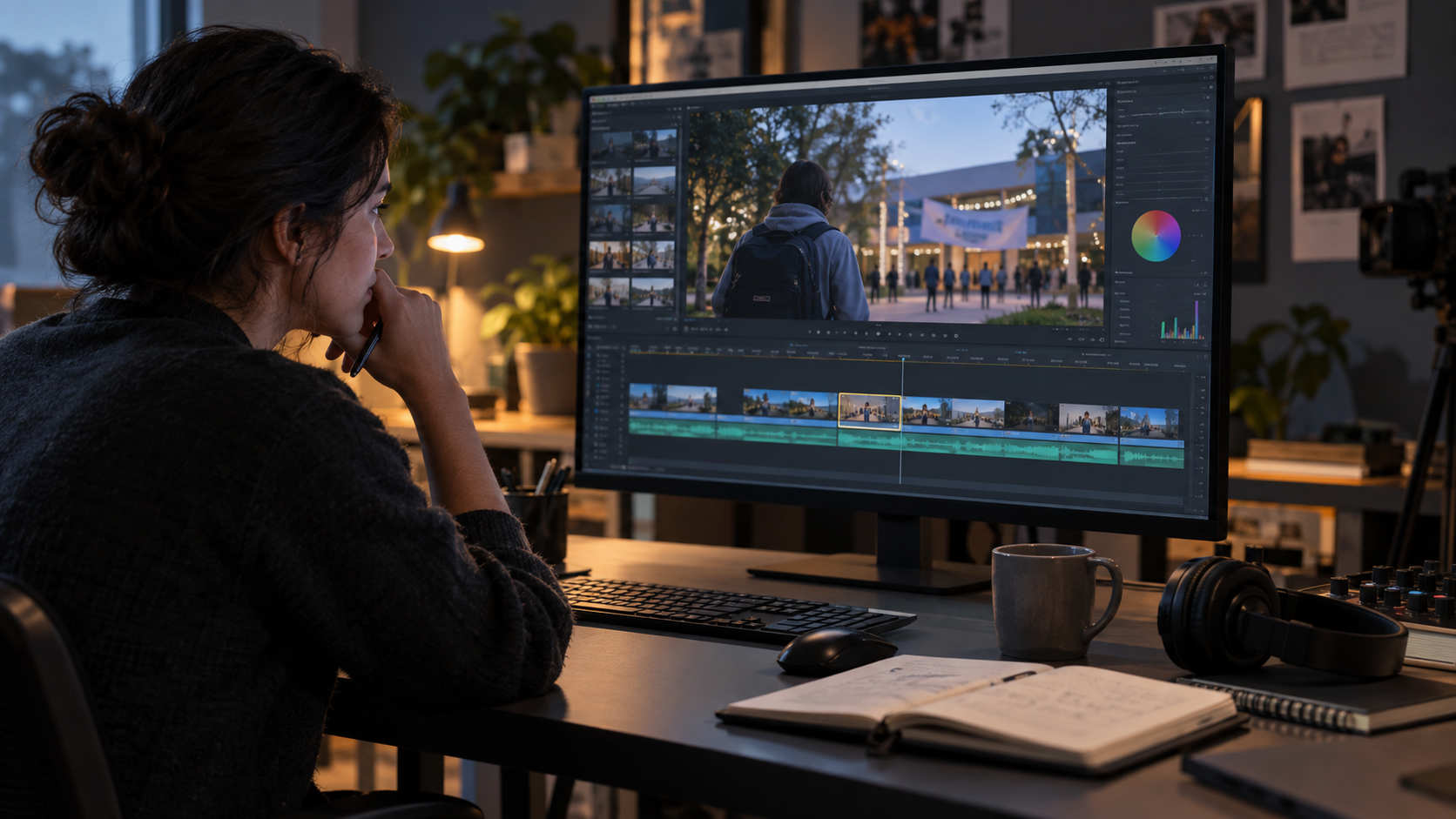
An AI video can be almost usable and still contain one distracting mistake. A sign bends for half a second. The exposure jumps between two shots. A character’s foot slides just before the cut. The first reaction is often to generate the whole clip again, but a new version may fix that problem and introduce three others.
Repairing is not always the better answer either. If the person changes identity throughout the scene or an important action never happens, editing around the failure may take longer than making a cleaner version.
The useful question is not “Can this be fixed?” Most problems can be hidden somehow. The better question is: “Is the mistake local, predictable and separate from the meaning of the shot?”
Start with the purpose of the shot
Before opening an editor or starting another generation, write down what the shot must communicate. For a short campus-event video, the essential moment might be a student arriving at the venue, looking at the event sign and entering the building.
If the sign wobbles briefly but the arrival and entrance remain clear, the clip may be repairable. If the student walks past the venue, the door moves to another wall or the person becomes someone else, the shot no longer communicates the planned action. That is a generation problem, not a cosmetic defect.
This distinction prevents a common waste of time: polishing an attractive clip that does not perform its actual job.
Problems that are usually worth repairing
A repair makes sense when the error occupies a small part of the frame or a short part of the timeline and the rest of the shot is stable.
A rough beginning or ending
If the first few frames contain a strange pose, or the motion collapses only after the useful action has finished, trimming the clip may solve the problem without changing its meaning.
A brief exposure or colour jump
A short brightness change near a cut can sometimes be reduced with colour correction, a dissolve or a better edit point. First confirm that it is genuinely local. If the lighting keeps changing across the entire clip, correction becomes much harder.
Minor camera shake or framing drift
Light stabilisation, cropping or reframing may help when the subject remains intact and there is enough space around the important content. Heavy stabilisation can create warped edges, so the correction still needs visual review.
A replaceable background detail
Text on a distant sign, a small logo or an unwanted object near the edge may be covered, blurred or replaced if it is not interacting with the subject. The same repair is risky when a hand passes in front of the detail or the camera changes perspective sharply.
An audio problem with good visuals
If the picture works but the sound is noisy, mistimed or unnecessary, replacing the audio is often more controlled than regenerating the visual sequence. This only applies when the mouth movement does not need to match specific dialogue.
Problems that usually require a new generation
Regeneration is more sensible when the defect affects identity, physical cause and effect, or the basic continuity of the scene.
Identity changes across many frames
If the face, clothing or body proportions gradually change, there is no single bad frame to patch. A local correction may hide one moment while the larger drift remains visible.
The key action is missing or occurs in the wrong order
Suppose the student in the event video appears inside the building without opening the door. The clip has skipped the action that connects the two states. An editor can cut faster, but cannot restore a believable interaction that was never generated.
Objects merge, disappear or pass through each other
When a hand enters a bag, a bicycle wheel changes shape or a chair moves without contact, the problem affects several connected areas. Repairing each frame can become a reconstruction project.
Scene geometry changes
If doors, windows, furniture or pathways shift position while the camera moves, cropping one area will not restore the space. The scene needs a more stable generation plan.
Dialogue and mouth movement disagree for most of the shot
A tiny timing offset may be editable. A completely different rhythm, extra speech or changing mouth shape usually requires a new visual or audio plan rather than repeated micro-adjustments.
Compare repair time with one controlled retry
Do not compare repair with an unlimited number of retries. Compare it with one controlled retry in which you change a specific cause.
Use four questions:
- How many frames contain the problem?
- Does the problem touch the face, hands or main object?
- Will the repair remain convincing while the camera moves?
- Can the next generation reduce the problem by changing one clear variable?
If the error lasts six frames near the edge of a static shot, repair may take only a few minutes. If it follows the subject for most of the clip, the repair must also follow changes in scale, lighting and occlusion. That cost rises quickly.
A retry is only controlled when you know what to simplify. You might shorten the action, reduce camera movement, choose a clearer reference frame or separate one complicated shot into two. Pressing “generate” again with the same inputs is not a plan; it is another guess.
If the original draft was created in Vidu Q3, keep the existing clip beside the new attempt and compare the same checkpoints rather than judging from memory. The tool does not decide whether the result is publishable; that remains an editing decision.
Use a three-level decision rule
A quick classification can stop the repair-versus-regenerate debate from consuming the entire project.
Level 1: Repair. The error is brief, local and does not affect the purpose of the shot. Examples include a removable ending, a small exposure jump or a background detail near the edge.
Level 2: Test both paths. The error is noticeable but the strongest parts of the clip would be difficult to reproduce. Make a rough repair and one simplified retry, then compare them at normal playback speed.
Level 3: Regenerate. The error changes identity, action order, physical interaction or scene structure. Stop spending time on cosmetic patches.
Check the result before publishing
Whether you repair or regenerate, watch the final sequence as a viewer rather than as the person who made it.
- Does the shot still communicate its intended action?
- Are the face, hands and important objects stable?
- Do movement and sound begin and end at believable moments?
- Are any repaired areas visible during normal playback?
- Does the cut hide a problem or create a new continuity jump?
- Have you checked the exported file rather than only the editing preview?
- Could any generated detail be mistaken for factual evidence or an authentic event record?
The best choice is not the one that preserves the most generated frames. It is the one that produces a clear, credible shot with the least uncertain work. Repair small, contained defects. Regenerate when the mistake has become part of the scene itself.
fostermartyn735 发布于 2026-09-24T06:14:07Z